


WordPress.com 2025: The Most Authentic System to Build Websites with Ease and Efficiency

wordpress.com

Loading

WordPress is one of the most popular content management systems (CMS) in the world, used by millions of people to create and manage websites. In this article, we will explore what WordPress is, its feasibility for users, how to register, and its connection with e‑commerce, responsive design, and SEO optimization.


What is WordPress?

WordPress es un CMS gratuito y de código abierto que permite a los usuarios crear y gestionar sitios web sin necesidad de conocimientos avanzados de programación. Fue lanzado en 2003 y ha evolucionado hasta convertirse en una plataforma versátil que soporta desde blogs personales hasta sitios web empresariales complejos.

Main Features of WordPress

  • Ease of Use: Intuitive interface that allows users to easily manage their content.

  • Customization: Thousands of themes and plugins available to personalize the design and functionality of the site.

  • Active Community: Large community of developers and users offering support and resources.

How Feasible Is WordPress for Users?

506a75c1be31f955b7ed8ac92a1634c8

WordPress is extremely accessible for users of all levels. Here are some points that highlight its feasibility:

  1. User-Friendly Interface: WordPress’s interface is easy to navigate, making content creation simple.

  2. Documentation and Support: A vast amount of tutorials, forums, and documentation help users solve problems.

  3. Quick Installation: Many hosting providers offer one‑click installation.

Pros and Cons of Using WordPress
ProsContras
Easy to useCan be vulnerable if not updated
Large amount of resourcesRequires regular maintenance
Flexibility and customizationSome features may be complex for beginners

How to Register on WordPress: Step by Step

5057bed9537aa33f29fc1b76ec2498ee

Registering a site on WordPress is a simple process. Below are the steps:

Step 1: Choose a Hosting Provider

Before registering on WordPress, you need a hosting provider. Some popular ones are:

HostGar:

HostGar offers a Basic Plan from €1.99 per month, which includes 5 GB SSD storage, unlimited traffic, a free SSL certificate, and 24/7 support. In addition, its Advanced Plan, from €5 per month, includes everything in the Basic Plan but with 10 GB SSD storage and an email mailbox.

Bluehost:

Bluehost has a Basic Plan at $2.95 per month, which provides a free domain for one year, 50 GB storage, unmetered bandwidth, free SSL certificate, and 24/7 support. Its Plus Plan, at $5.45 per month, includes everything in the Basic Plan with unlimited storage and unlimited email accounts. Furthermore, the Choice Plus Plan, also at $5.45 per month, offers the same functionality as the Plus Plan but with free domain privacy.

SiteGround:

SiteGround presents its StartUp Plan at $3.99 per month, which offers 10 GB storage, traffic for up to 10,000 monthly visits, free SSL certificate, and automatic daily backups. Its GrowBig Plan, at $6.99 per month, includes everything in the StartUp Plan with 20 GB storage and traffic for up to 25,000 monthly visits, plus unlimited email accounts.

HostGator:

HostGator has a Hatchling Plan for $2.75 per month, which includes a free domain for the first year, unlimited storage, unlimited traffic, and free SSL certificate. Its Baby Plan, at $3.50 per month, offers everything in the Hatchling Plan with unlimited email accounts. Finally, the Business Plan, at $5.25 per month, includes everything in the Baby Plan with unlimited storage and a free dedicated IP.

 
Step 2: Register on WordPress
  • Visit the WordPress website: Go to WordPress.org..

  • Select “Get WordPress”: Download the software.

  • Install WordPress: Follow your hosting provider’s instructions to install WordPress on your domain.

 
Step 3: Set Up Your Site
  • Log in: Access your admin panel at yourdomain.com/wp-admin..

  • Choose a theme: Go to “Appearance” > “Themes” and select one you like.

  • Customize your site: Use the WordPress customizer to adjust colors, fonts, and more.

 
Step 4: Create Content
  • Add posts: Go to “Posts” > “Add New” to start writing.

  • Publish pages: Go to “Pages” > “Add New” to create static pages.

 
Step 5: Publish Your Site

Once you are satisfied with your content, it’s time to publish! Make sure to review and adjust your SEO settings before doing so.


WordPress and E‑commerce

WordPress y E-commerce

WordPress is an excellent option for e‑commerce, especially with the WooCommerce plugin. This plugin turns any WordPress site into a complete online store.

 
Advantages of Using WordPress for E‑commerce
  • Ease of Use: WooCommerce makes it easy to manage products, payments, and shipping.

  • Customization: Multiple themes are specifically designed for online stores.

  • SEO Friendly: WordPress and WooCommerce are optimized for SEO, helping attract traffic.

 
Success Example

Many businesses have thrived using WordPress and WooCommerce. For example:

  • Clothing Store: An entrepreneur created an online clothing store and managed to increase sales by 300% in the first year.

  • Digital Products: An author launched his book in digital format and used WordPress to manage sales.

Responsive Design in WordPress

3cf80e079d9700c0428f51a7a2e4911c

Responsive Design in WordPress

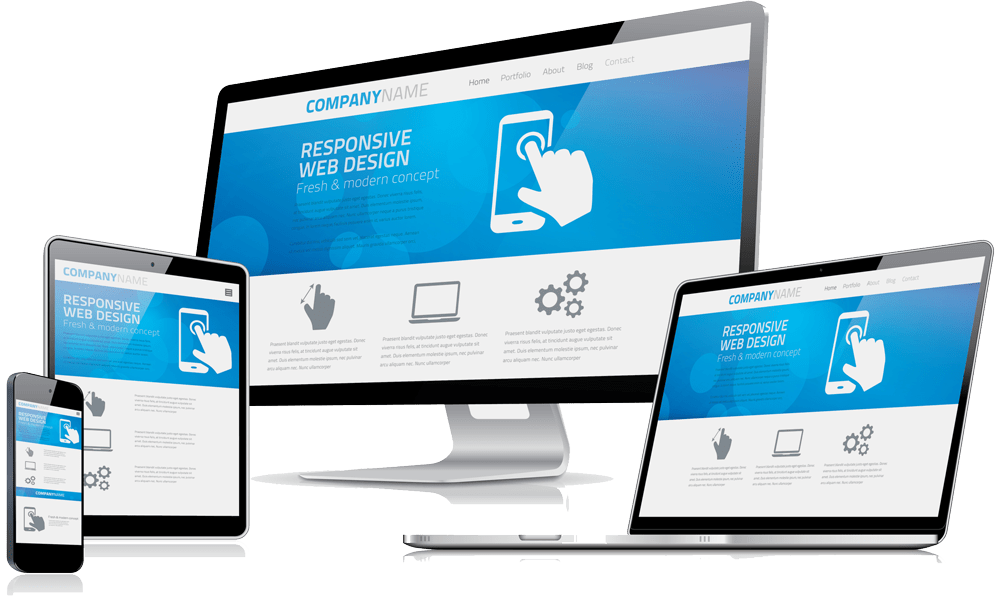
Responsive design is crucial in today’s world, where mobile traffic surpasses desktop traffic. WordPress offers multiple responsive themes that adapt to any device.


Benefits of Responsive Design

  • Better User Experience: Visitors can easily browse on any device.

  • Better SEO: Google favors responsive sites in its search results.

  • Increase in Conversions: A responsive site can boost the conversion rate.


Recommended Responsive Themes

Astra

Astra

Astra is a lightweight and highly customizable theme that adapts to any type of website, from personal blogs to online stores. Its responsive design ensures that your site looks great on both mobile devices and desktops.

Astra is compatible with major page builders such as Elementor and Beaver Builder, making it easy to create unique designs without coding. It also comes with multiple pre‑designed templates that you can import with a single click, saving time and effort in the design process.

OceanWP
Ocean WP

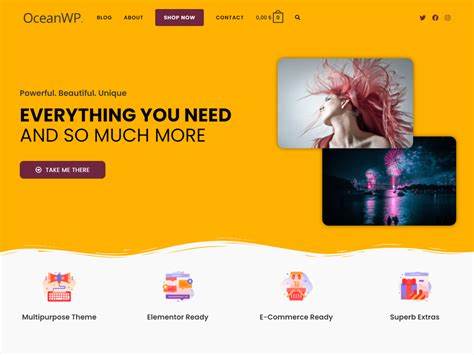
OceanWP is another popular theme known for its flexibility and advanced features. It is fully responsive and adapts perfectly to all screen sizes. OceanWP offers a variety of customization options, including different header styles, footers, and typography.

This theme is also compatible with WooCommerce, making it an excellent choice for those who want to create an online store. Additionally, OceanWP includes features such as dropdown menus and compatibility with various plugins, allowing users to easily add extra functionality.

Divi

Divi

Divi is a premium theme developed by Elegant Themes that is not only responsive but also includes a powerful visual builder. With Divi, you can design your website by dragging and dropping elements, allowing for unmatched customization.

This theme offers a large number of predefined layouts that can be adapted to your needs. Moreover, Divi provides advanced design options such as scroll effects, animations, and mobile‑specific design settings. Its focus on usability and aesthetic design makes it an ideal choice for both beginners and experienced developers.


SEO Integration

Integración con SEO

WordPress is known for its ability to easily integrate with SEO tools. Plugins such as Yoast SEO and All in One SEO Pack allow users to optimize their content for search engines.

 
SEO Strategies in WordPress
  • Use Friendly URLs: Configure permalinks in “Settings” > “Permalinks.”

  • Optimize Meta Descriptions: Use plugins to add meta descriptions and attractive titles.

  • Create Quality Content: Publish relevant and useful content that attracts visitors.


WordPress is a powerful and accessible platform that allows users to effectively create and manage websites. Its connection with e‑commerce, responsive design, and SEO optimization makes it an ideal choice for anyone who wants to establish an online presence. By following the steps mentioned above, you can register and start building your website today.

Share on

EnglishenEnglishEnglish