HostGar VPN Service 2026: Security and Privacy for Your Customers


The VPN service offered by HostGar allows customers to protect their internet connection, hide their real IP, and securely access private resources or internal networks. To use this service, the recommended and most efficient application is OpenVPN Connect, the official cross‑platform tool developed by the OpenVPN project. This app is trusted by thousands of users worldwide to connect to VPN servers like those configured in HostGar’s VPS or dedicated plans.
OpenVPN Connect stands out for its outstanding efficiency: it is lightweight (low CPU and RAM usage), delivers high speeds even on remote connections, maintains exceptional stability (low disconnection rates), supports optimized protocols, and minimizes battery impact on mobile devices. Thanks to its open‑source design and continuous optimizations, it achieves the perfect balance between robust security and real performance, outperforming many alternatives in intensive use scenarios such as streaming, downloads, or prolonged remote work.
Key Features of OpenVPN Connect for HostGar VPN

Efficiency in Resources and Speed: Uses highly optimized UDP/TCP protocols that reduce latency and maximize throughput. In real tests, it maintains speeds close to 90–95% of the base connection, even with full AES‑256 encryption.
Security without Compromise: Implements the OpenVPN standard with military‑grade encryption (AES‑256‑GCM), perfect forward secrecy, and support for TLS 1.3. Ideal for protecting sensitive data when connecting to HostGar’s VPN servers.
Stability and Reliability: Handles automatic reconnections, integrated kill switch (in some versions), and tolerance for network changes (Wi‑Fi to mobile data). Significantly reduces interruptions compared to less efficient apps.
Low Consumption on Mobile Devices: On Android and iOS, optimizes battery and data usage, enabling long sessions without quickly draining the device.
Ease of Use with High Performance: Minimalist yet powerful interface—import a .ovpn file in seconds and connect with one click, without sacrificing advanced options like data compression or port selection.
Cross‑Platform and Scalable: Works efficiently across all devices and supports multiple profiles for different HostGar servers or configurations.
This efficiency makes OpenVPN Connect
Quick Setup with OpenVPN Connect
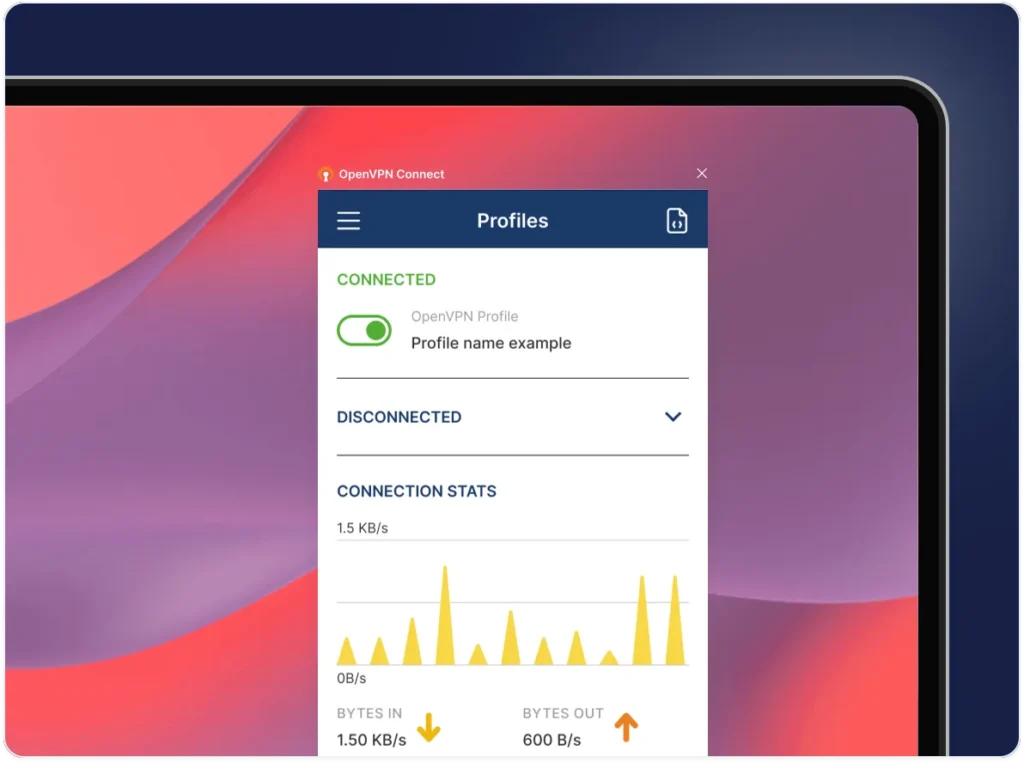
How to Connect to HostGar VPN
Get your configuration file: The server administrator (on your HostGar VPS/dedicated plan) generates and provides the
.ovpnfile (includes server address, port, certificates, and keys).Download and install OpenVPN Connect: Use the official links below according to your device.
Import the profile: Open the app → select “Import” → load the
.ovpnfile (from file, email, QR, or URL).Connect: Enter credentials if required → press “Connect.” Within seconds, you’ll be protected by HostGar’s VPN server.
Key requirement for optimal performance: Ensure no firewall is blocking the VPN port (usually 1194 UDP) and that no other VPN is running on the same device. These are the most common causes of failures; disabling them temporarily guarantees that OpenVPN Connect runs at maximum efficiency (avoiding route conflicts or blocked ports).
Practical Example: Efficient Connection in Different Scenarios
On a Windows Laptop (Remote Work):
Download OpenVPN Connect for Windows.
Import the
.ovpnfile provided by HostGar.Verify: disable any third‑party firewall or previous VPN (e.g., fully close another VPN app).
Connect: in less than 10 seconds you’ll see “Connected” with a green icon.
Test: your IP changes to HostGar’s server; you browse at near‑native speed with no lag in video calls or large file transfers.
On an Android Mobile (Travel or Public Wi‑Fi):
Install from Google Play Store.
Import
.ovpnvia email or direct download.Disable any VPN or firewall app (such as antivirus with integrated VPN).
Connect: the app uses very little battery and keeps the connection stable even when switching networks. Ideal for banking or corporate intranet access.
On iPhone/iPad: Similar process via App Store; efficiency is evident in long sessions without overheating or excessive battery drain.
In all cases, thanks to the efficiency of OpenVPN Connect, connecting to HostGar VPN is quick to establish, stable for hours, and has minimal impact on device performance.
Official Downloads of OpenVPN Connect
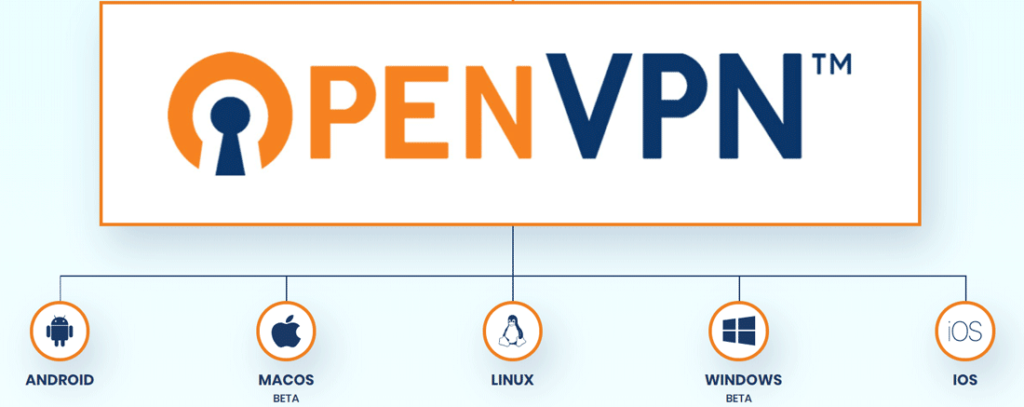
🔗 Official Downloads of OpenVPN Connect
Windows (PC): openvpn.net/client-connect-vpn-for-windows
macOS (Mac): openvpn.net/client-connect-vpn-for-mac-osx
Linux: openvpn.net/community-downloads (or via system repositories)
Android (phones & tablets): play.google.com/store/apps/details?id=net.openvpn.openvpn
iOS (iPhone/iPad): apps.apple.com/us/app/openvpn-connect/id590379981
These versions are the only official ones, optimized and regularly updated to ensure maximum security and efficiency.

OpenVPN Connect is the most efficient and reliable application to access HostGar’s VPN service. Its combination of high speed, low resource consumption, exceptional stability, and proven security makes it the perfect tool to enjoy all the advantages of a VPN hosted on our servers: total privacy, secure access, and uncompromised performance.
Always remember to check that no firewalls or concurrent VPNs are active to maximize efficiency. With OpenVPN Connect
Share on
Recent Articles




Categories
Tags
2025 artificial intelligence create website custom website cybersecurity design digital guide digital marketing download WordPress free VPN for PC hostgar hostgar vpn Hosting ia marketing marketing campaigns monetizacion security 2025 social media telefonia voip voip vpn vpn for pc web design web design 2026 wordpress

